Dispatch & Routing

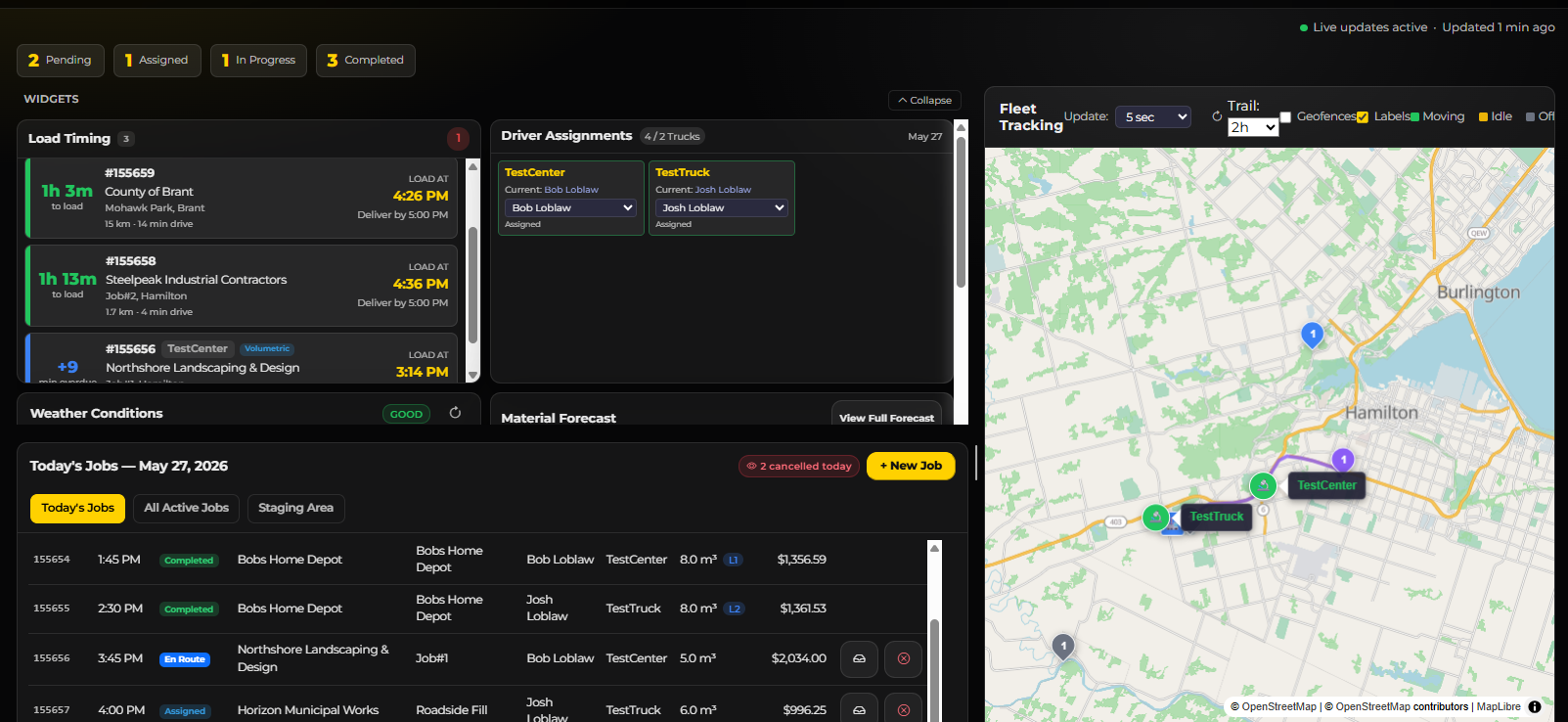
Manage your daily operations from a live dispatch board and interactive calendar with drag-and-drop scheduling, route optimization, weather integration, driver assignments, material forecasting, and a complete audit trail of every decision.

Live Dispatch Board Calendar View Drag & Drop Scheduling Route Optimization Interactive Map Weather Integration Notes & Notebook Material Forecasting Job Templates Fuel Logging Incident Reports Audit Trail
Dispatch Board

Monthly Calendar Overview

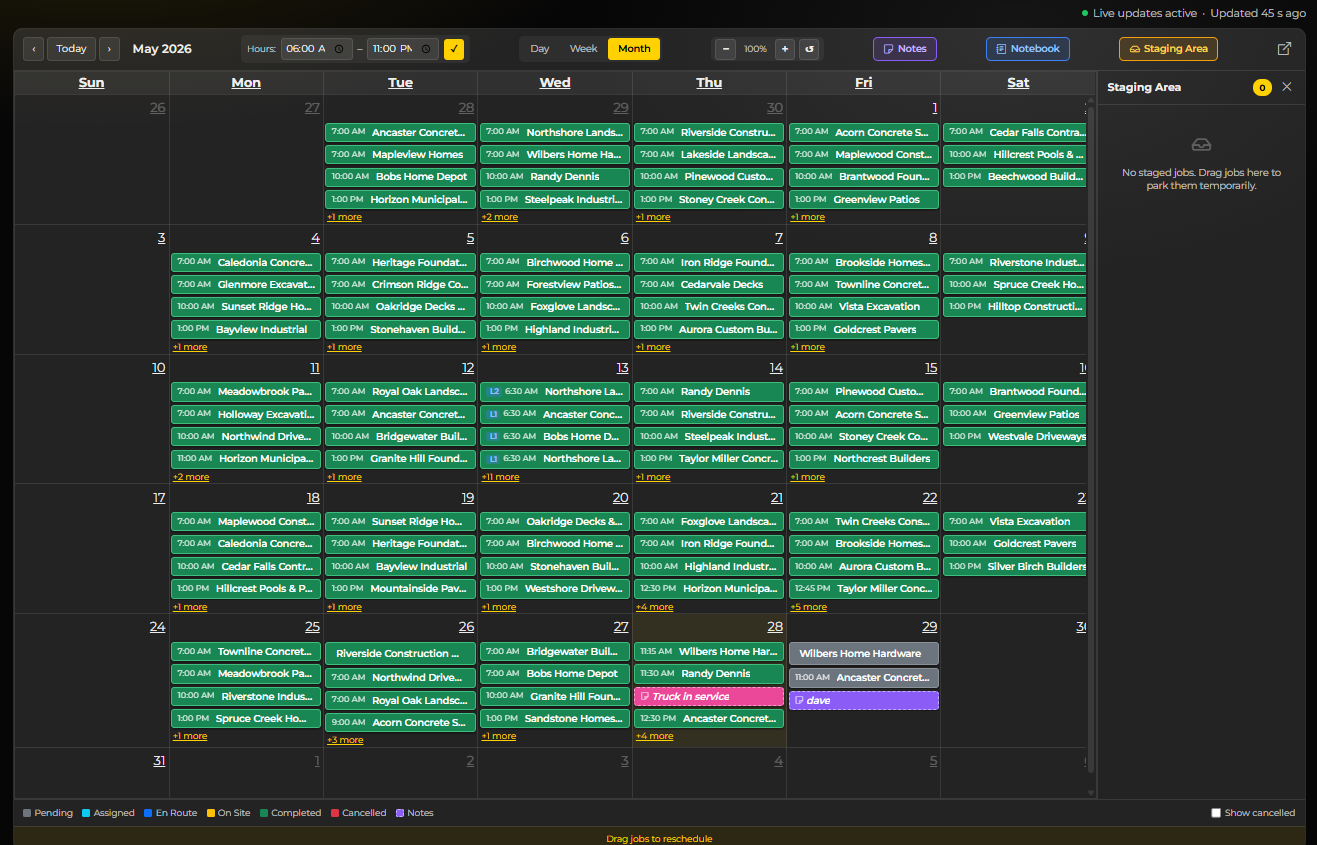
See your entire month of dispatching at a glance. Jobs are color-coded by status — pending, assigned, en route, on site, completed, or cancelled. Drag jobs between days to reschedule instantly. Double-click any empty slot to create a new job on that date.

Monthly Calendar Overview

Weekly Calendar — Time Slots

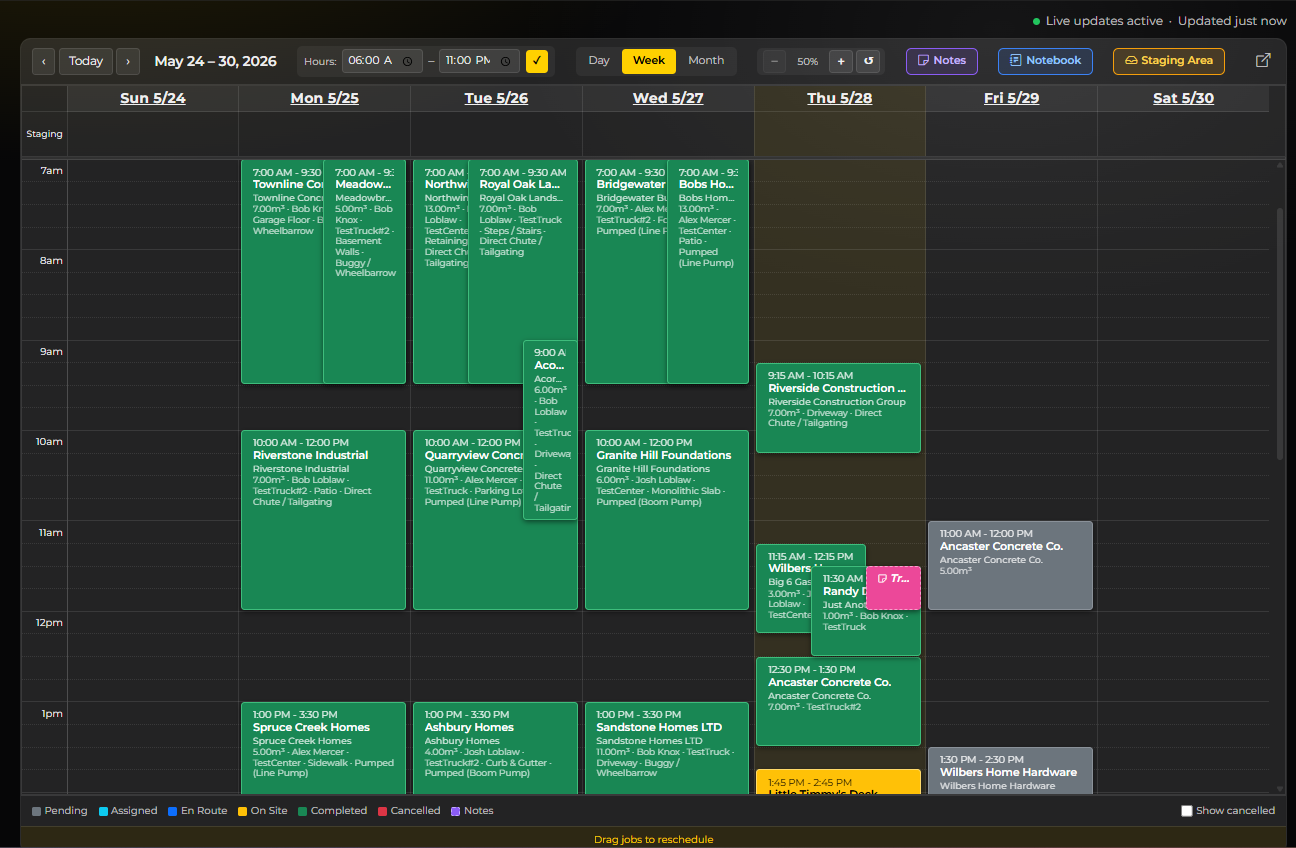
The weekly view breaks each day into hourly time slots, giving dispatchers a precise picture of the day's schedule. See job duration blocks, overlapping deliveries, and open windows. Drag jobs to reschedule across days or time slots.

Weekly Calendar — Time Slots

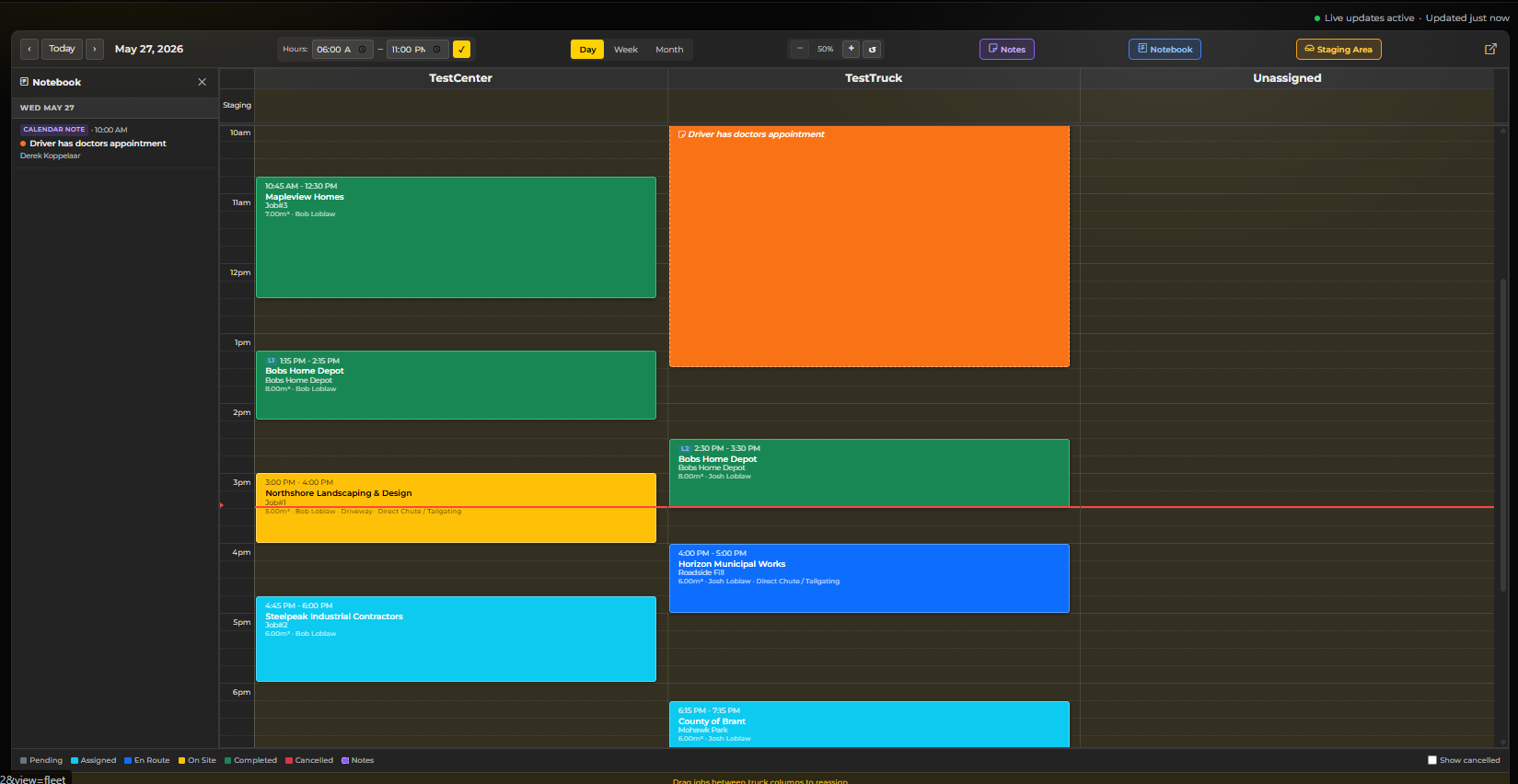
Daily View — Per-Truck Columns

The daily view splits the schedule by truck — each machine gets its own column. Drag jobs between truck columns to reassign, or up and down to adjust timing. Unassigned jobs stack in a dedicated column until you place them.

Daily View — Per-Truck Columns

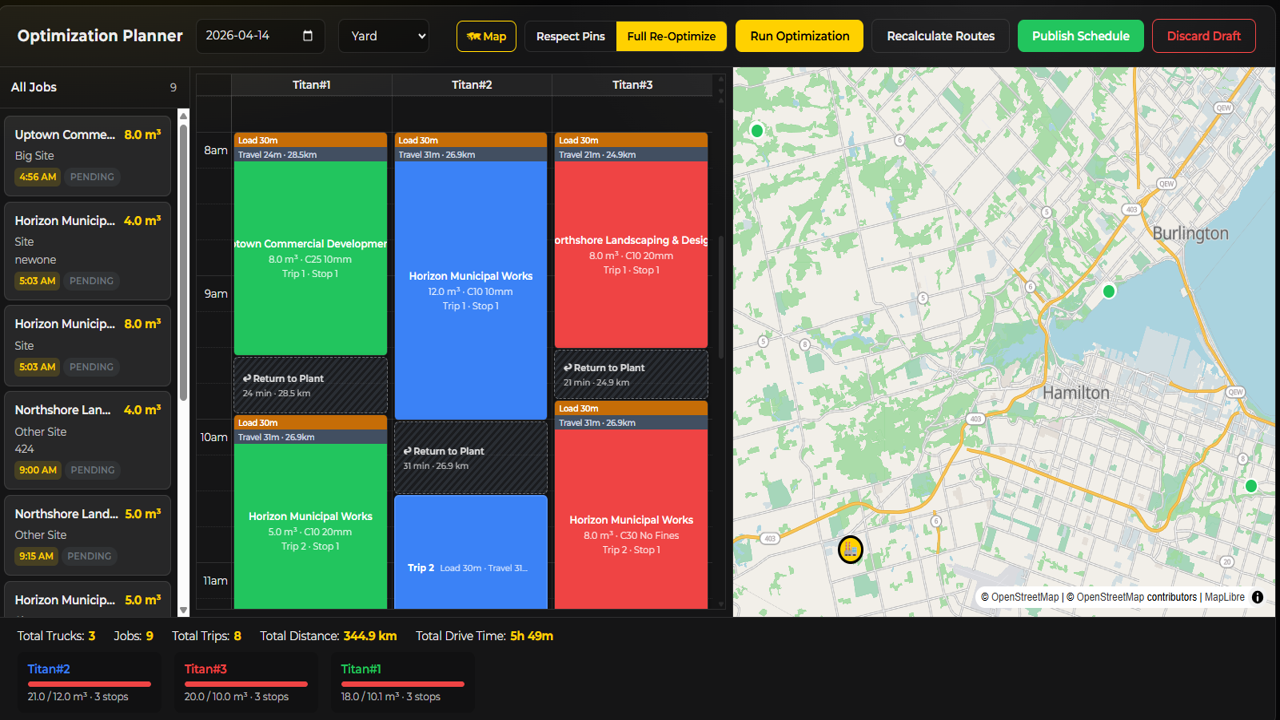
Route Optimization Planner

Select a date, review all scheduled jobs, and run the optimization engine to sequence deliveries for minimum drive time and fuel cost. The map shows delivery locations while the planner assigns jobs to trucks in the most efficient order.

Route Optimization Planner

Quick Job Creation

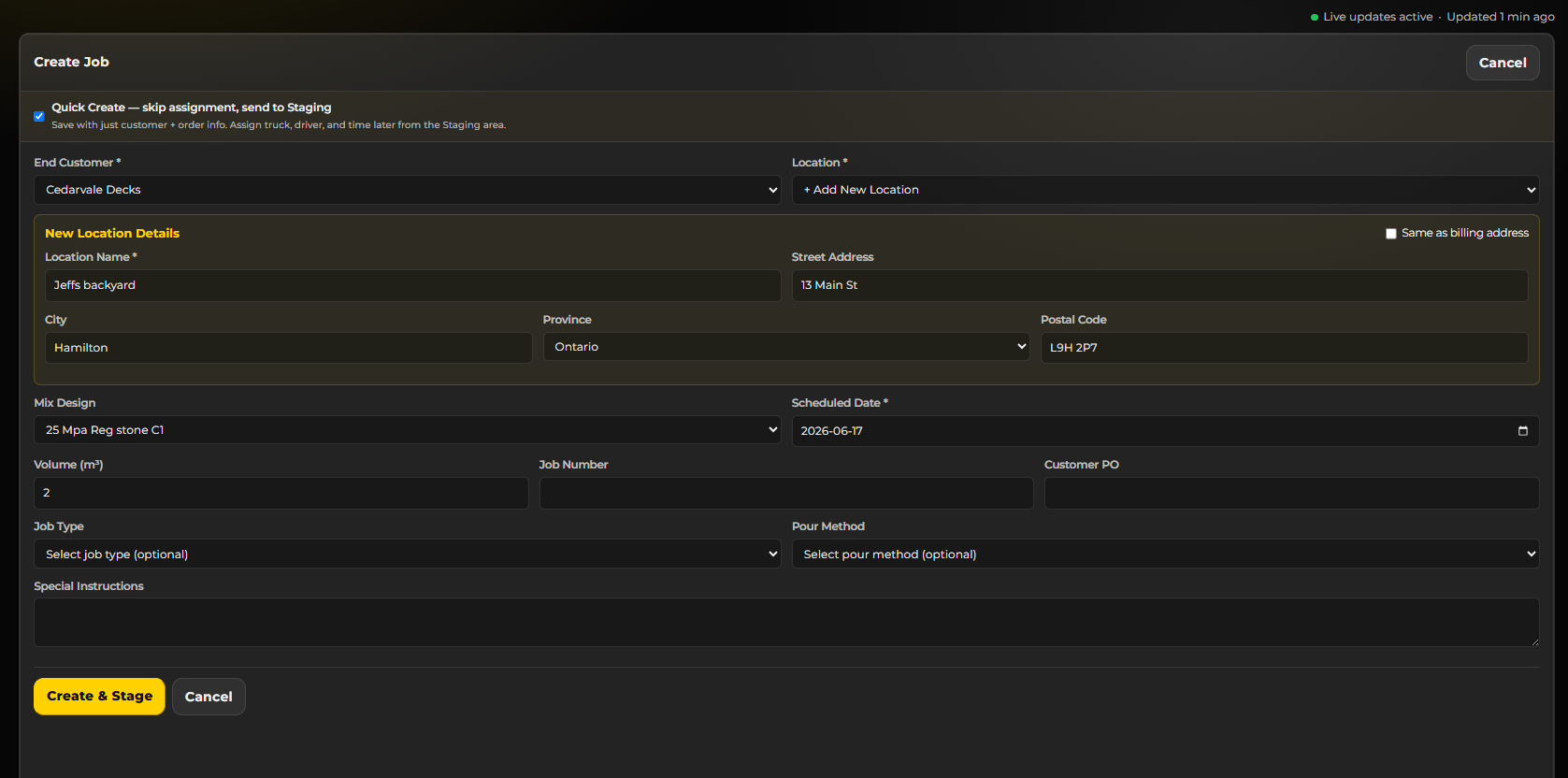
Create a new dispatch job in seconds. Select the customer, location, mix design, scheduled date and time, assign a truck and driver, set the volume, and add special instructions. Jobs land directly on the calendar and dispatch board.

Quick Job Creation

Calendar Notes — Color-Coded Reminders

Pin color-coded notes directly onto the calendar — plant maintenance windows, delivery blackouts, reminders for the crew. Notes appear alongside jobs so dispatchers never miss critical context when scheduling.

Calendar Notes — Color-Coded Reminders

Dispatch Notebook

A persistent notepad that lives alongside the calendar. Jot down standing instructions, weekly priorities, or shift handover notes. The notebook stays visible while you work and saves automatically.

Dispatch Notebook

Weekly Material Forecast

Plan ahead with a 7-day material demand forecast. See scheduled volumes broken down by cement, sand, stone, and water. Compare against current stock levels to identify shortfall or surplus before it happens.

Weekly Material Forecast

Reusable Job Templates

Save time on repeat jobs. Create templates with pre-filled customer, location, mix design, and volume details. One click to schedule a templated job — no re-entering the same data every time.

Reusable Job Templates

Fuel Logging

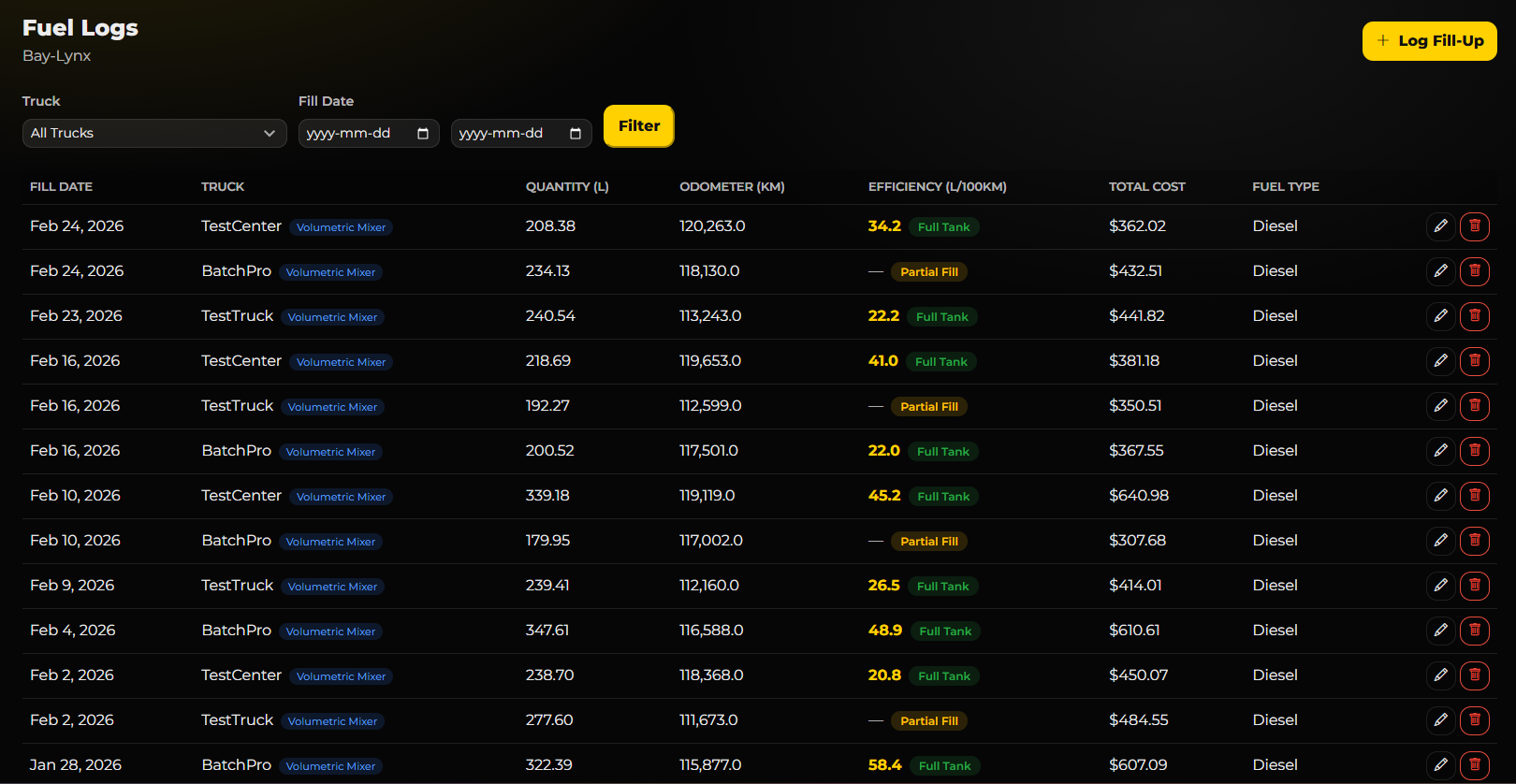
Track fuel purchases, consumption, and costs per machine. Link fuel entries to specific jobs and routes for accurate per-delivery cost analysis. Spot anomalies and track efficiency over time.

Fuel Logging

Incident Reports
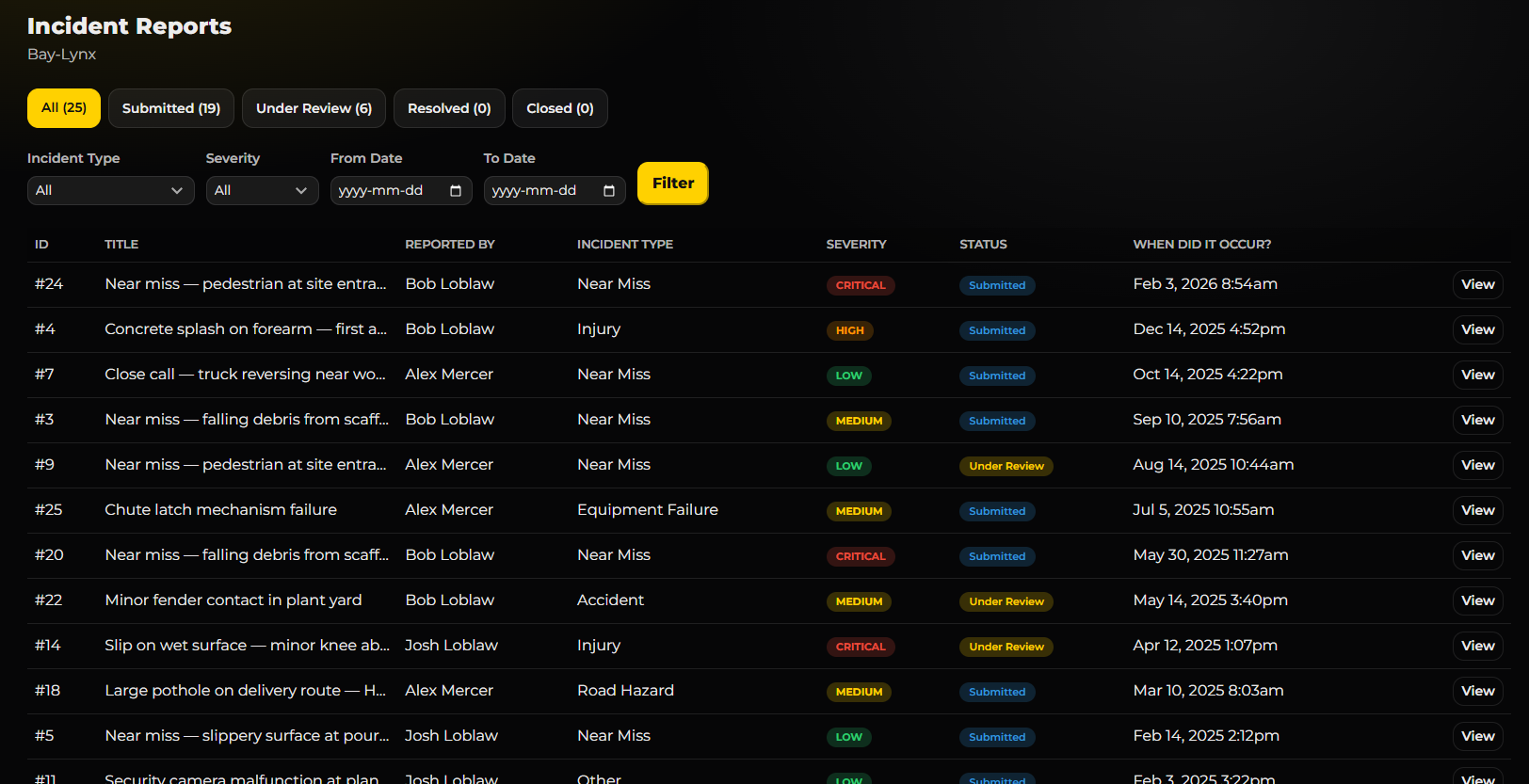
Document and track safety incidents, near-misses, and equipment issues. Attach photos, assign follow-up actions, and maintain a complete incident history for compliance and continuous improvement.

Incident Reports

Data Access Audit Log

Full transparency on who accessed what data and when. Every view, export, and action is logged with timestamps, user identity, and IP addresses for compliance and data privacy requirements.

Data Access Audit Log

Explore Other Modules

Fleet Production Analytics Dispatch Maintenance Billing Inventory Team Chat Security